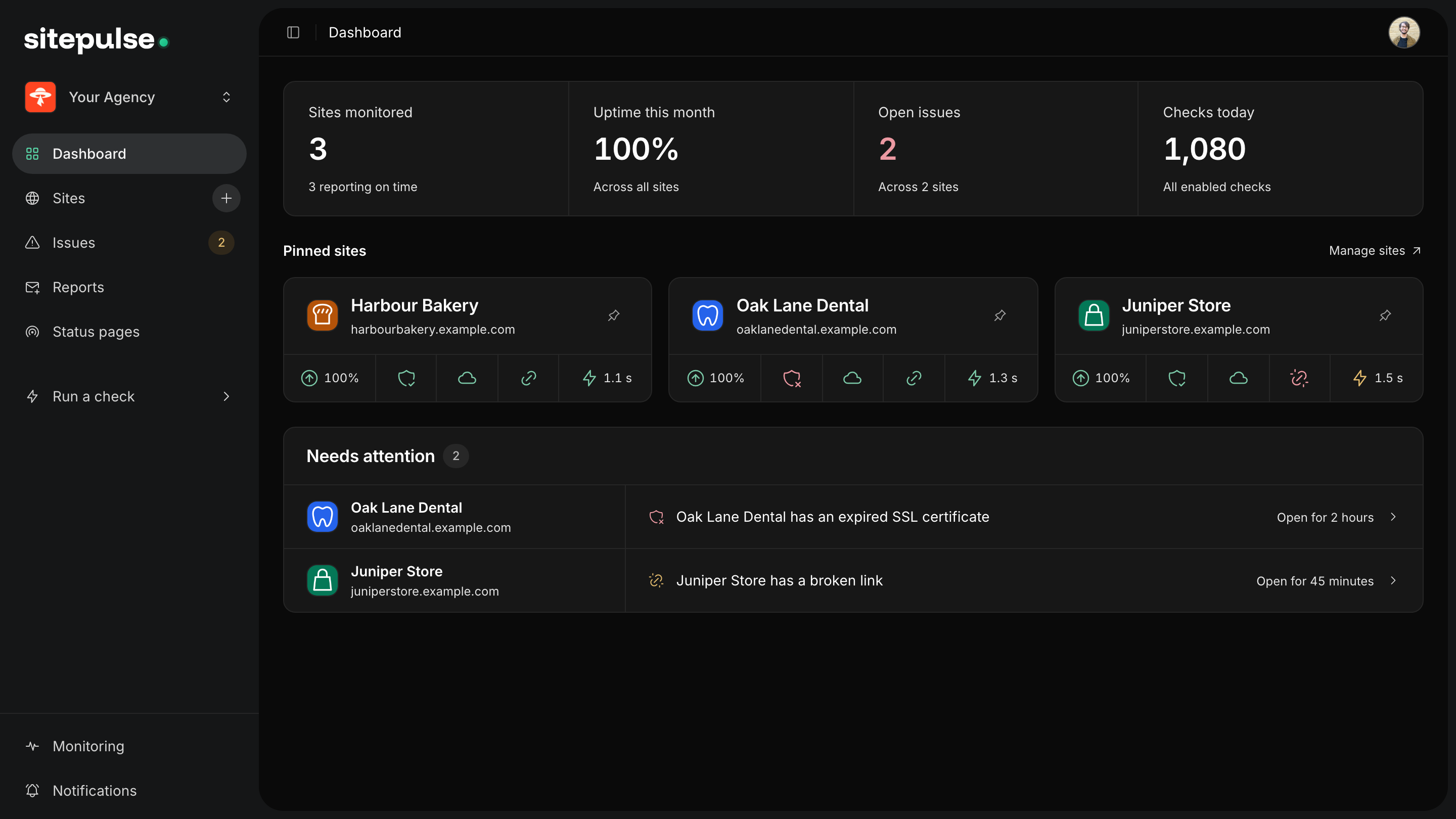
The dashboard shows the current team’s monitoring results. Switch teams with the team selector when you need another team’s sites and issues.
Health overview
The summary shows:
- Sites monitored, including how many are reporting on time
- Uptime this month across the team’s sites
- Open issues and the number of affected sites
- Checks today across enabled checks
Missing uptime data appears as a dash. A zero issue count does not establish that every site is healthy: check monitoring coverage too.
Issues needing attention
The issue list brings together incidents across Status, SSL, DNS, Broken Links, and Performance, ordered by severity and then age. Open an issue to inspect its evidence, add a note, or use its workflow controls.
Closing or ignoring an issue removes it from the attention list without confirming that the site has recovered. Recovery requires a passing check.
Monitoring coverage
The coverage panel appears when sites have gaps in automatic monitoring. It identifies sites with:
- Automatic checks disabled
- Checks awaiting their first result
- Overdue checks
Open an affected site to review its monitoring settings and latest results. A previous healthy result can be out of date when checks stop arriving.
Pinned sites
Pin sites from the Sites list to show their uptime summaries here. The dashboard initially shows up to three pinned sites. Use Show all or Show more to see the rest, with pagination for larger lists.
You can unpin a site from its dashboard card.
First-time setup
When the team has no sites, quick actions let you add a site, import a file, configure monitoring, or set up notifications. A notification reminder appears when issue alerts have not been configured; owners and admins can follow it to choose destinations.
To run a check, use Run a check in the sidebar or open a site’s Run check menu. Plan quotas apply to these on-demand runs.
Trial notice
During a free trial, the team notice shows its end date. Owners can choose a plan from Billing; other members must contact the owner. When trial access ends, monitoring pauses until the owner subscribes. See billing and plans.